Use Public Wi-Fi in the US Safely Avoid Hacking: 5 Hacks
Use Public Wi-Fi in the US Safely Avoid Hacking: 5 Essential Rules for Travelers
Use Public Wi-Fi in the US Safely Avoid Hacking is the single most critical cybersecurity practice for international tourists, digital nomads, and arriving visitors. From the moment you land at major international entry points like JFK, LAX, or O’Hare, relying on open wireless hotspots is nearly unavoidable. Finding transit schedules, messaging family, booking rideshares, or retrieving hotel reservations requires instant internet access. However, connecting your mobile devices to open networks without protective protocols exposes your personal information to severe digital threats.
Public wireless networks in airports, hotel lobbies, fast-food chains, and coffee shops are intentionally built for open convenience, meaning they lack robust packet encryption. Cybercriminals frequently target high-traffic tourist zones using rogue hotspots—often named “Free_Airport_WiFi” or “Starbucks_Guest”—to intercept unencrypted traffic. Connecting to an untrusted access point allows malicious actors to execute Man-in-the-Middle (MitM) attacks, capture unencrypted passwords, scrape credit card details, or hijack active session cookies.
Relying purely on device default settings or assuming password-protected hotel networks are secure is a dangerous oversight. Advanced packet-sniffing tools can collect personal data from dozens of connected users simultaneously. A single security breach while managing bank accounts or booking travel tickets can clear out your travel budget and leave you stranded.
To maintain complete digital privacy while traveling across North America, you must implement strong cybersecurity habits. Utilizing our smart U.S. travel blueprints allows you to structure your travel logistics safely, protect your personal identity, and enjoy seamless connectivity throughout your stay.

Security Comparison & Threat Evaluation
To help you protect your digital identity on open networks, this comparison table evaluates common public connection points across the United States along with their specific risk profiles.
| Connection Venue | Estimated Threat Level | Primary Cybersecurity Risk | Best Protective Measure |
| Airport Open Hotspots | Very High | Evil Twin Rogue Routers, Packet Sniffing | Encrypted VPN, Disable Auto-Join |
| Coffee Shops & Cafes | High | Session Hijacking, Man-in-the-Middle Attacks | Enforce HTTPS, Use Cellular Hotspot |
| Hotel & Motel Networks | Medium – High | Credential Harvesting, DNS Spoofing | Encrypted Tunneling, Private DNS |
| Public Transit & Buses | High | Unencrypted Data Interception | Cellular eSIM Data, Turn Off Sharing |
Essential Cybersecurity Rules & Official Guidelines
Securing your mobile hardware against unauthorized network intrusions requires strict adherence to digital defense protocols.
- Official Federal Cybersecurity Resources: Understanding network vulnerability standards and baseline privacy rules helps safeguard your devices. For official public cyber safety frameworks and travel security guidance, review advice from the Cybersecurity and Infrastructure Security Agency.
- Deploy Encrypted VPN Tunnels: Never transmit sensitive personal information, manage banking apps, or enter passwords on public networks without an active, trustworthy Virtual Private Network (VPN). A solid VPN encrypts your entire data pipeline, rendering intercepted data completely unreadable to local hackers.
- Disable AirDrop & File Sharing Protocols: Public networks automatically expose open network ports on unconfigured devices. Ensure that AirDrop, file sharing, network discovery, and automatic Wi-Fi connection settings are turned off before stepping foot into public spaces.

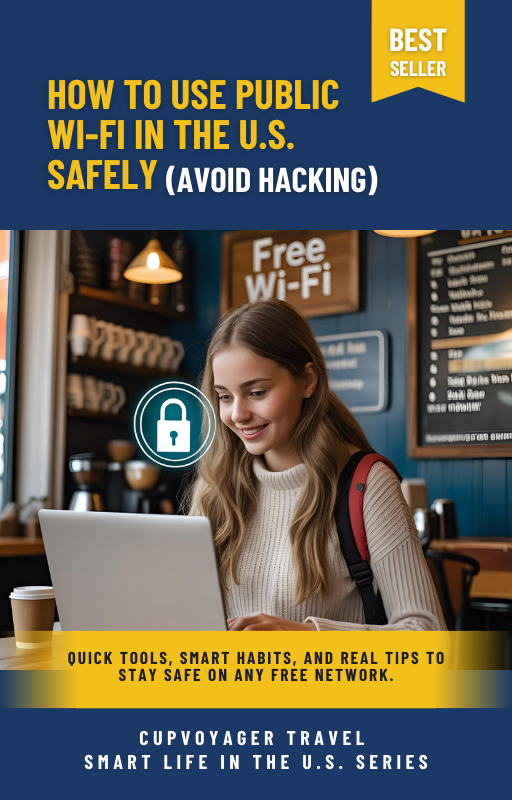
Protect Your Digital Identity & Bank Accounts in the U.S.
Don’t let data thieves, rogue Wi-Fi traps, and identity scammers compromise your trip. Our comprehensive digital blueprint ‘How to Use Public Wi-Fi in the U.S. Safely (Avoid Hacking)’ delivers exact VPN setups, DNS security tricks, and mobile safety checklists to keep you protected.
⚡ Instant Download • Secure Checkout • Lifetime Access
Long-Term Success & Preparation
When traveling through major American cities, knowing how to Use Public Wi-Fi in the US Safely Avoid Hacking gives you complete peace of mind. Keeping your passwords, credit cards, and personal data protected requires minimal preparation when you follow a clear set of cybersecurity rules. By encrypting your network connections, disabling automatic public network pairing, and using dedicated cellular eSIM options whenever possible, you safeguard your entire digital footprint.
Looking for the complete master plan covering every major logistical challenge in North America—from public Wi-Fi safety and SIM cards to city transit, national parks, and budget shopping? Take your travel preparation to the highest standard. Download our complete nationwide digital guide collection below to unlock lifetime access to our master library.
Master the Entire USA for the Price of One Meal
Why settle for just one topic when you can unlock our entire digital travel library? From detailed transit blueprints to safety hacks and hidden local roadmaps across America—the CupVoyager Mega Bundle gives you everything required to travel like an expert while saving thousands.
- ✓ Complete 10-Book Series: Total coverage of U.S. logistics, banking, housing, and transport.
- ✓ Interactive Maps & Codes: Instant access to custom digital resources and pricing frameworks.
- ✓ Lifetime Free Updates: Every future edition and expansion included at no extra cost.